New Built for music content days

Shoot more of the song in less time.

Creatrr turns a song into a shot plan. Mark the parts, stamp your go-to shots on each one, and roll with a click-track count-in cued to the exact spot. Every take is rated and tagged, so your editor knows what to use.

Free forever for 1 song. No card needed.

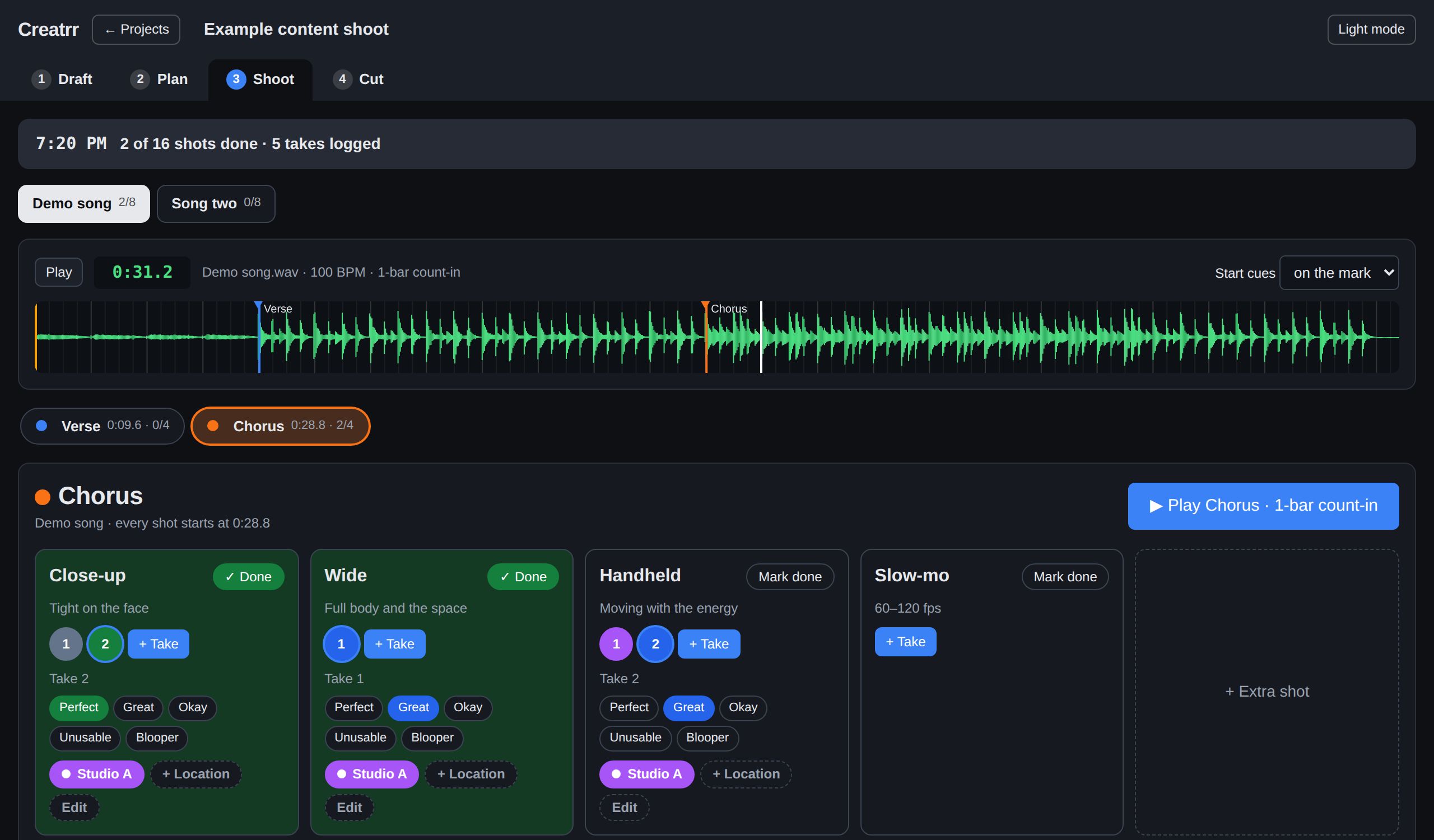
Creatrr's Shoot screen: a song waveform with colored parts, a Play Chorus button, and tiles for Close-up, Wide, Handheld and Slow-mo shots with rated takes

The song is the plan.

Music content is formulaic in the best way: the same strong shots, on the parts of the song that matter, as many times as you can. Creatrr is built around exactly that.

01 · DRAFT

Add the songs

Upload each track. Creatrr finds the tempo and where the music starts, then you mark the parts you want to shoot, with references and links alongside.

02 · PLAN

Stamp your shots

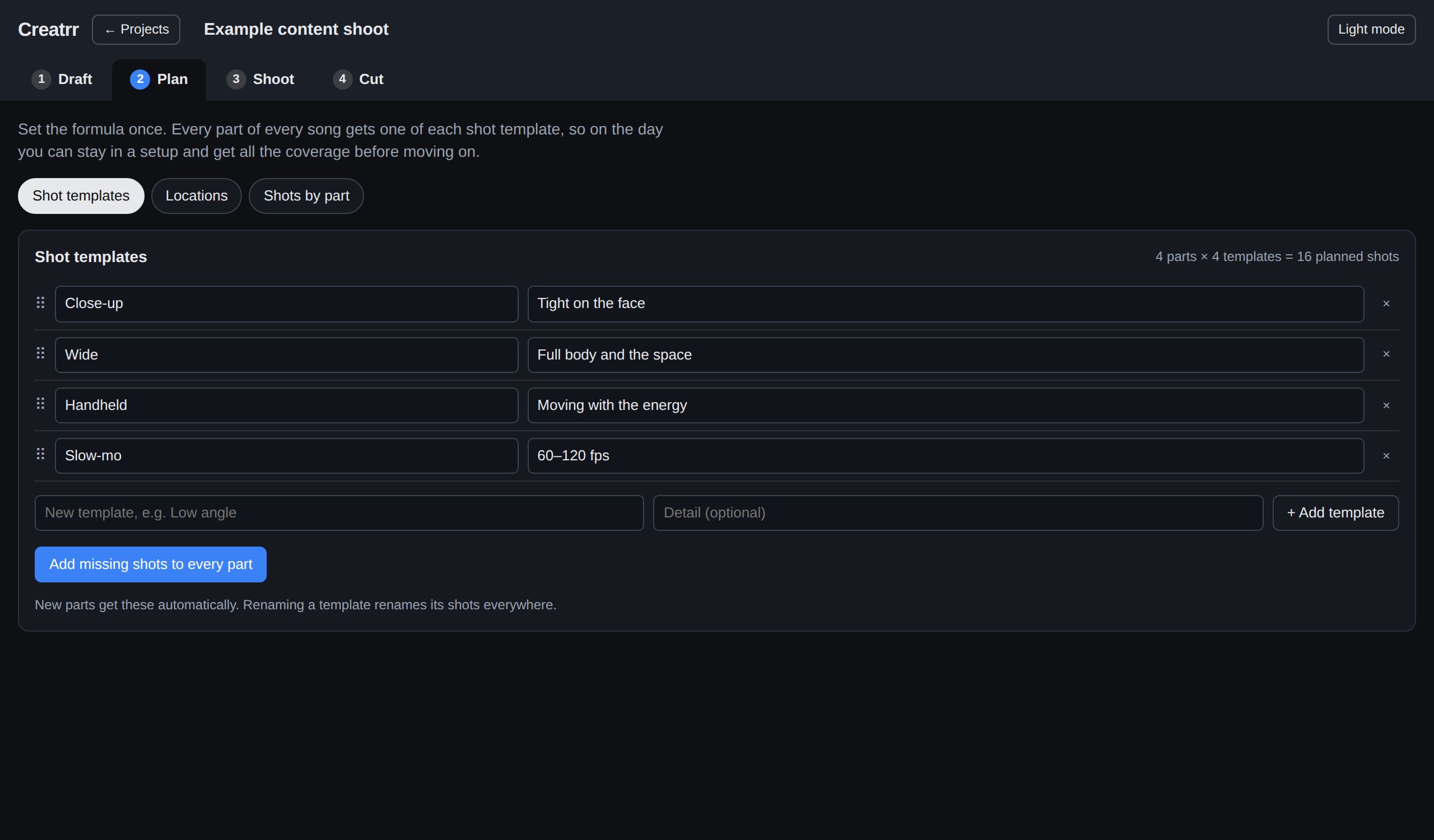
Set your templates once (close-up, wide, handheld, slow-mo) and every part gets one of each. Assign where each part gets shot.

03 · SHOOT

Roll on the beat

Pick a part and hit play. A count-in brings talent in right on the downbeat. Log takes, rate them, and move on in a couple of taps.

04 · CUT

Hand it off

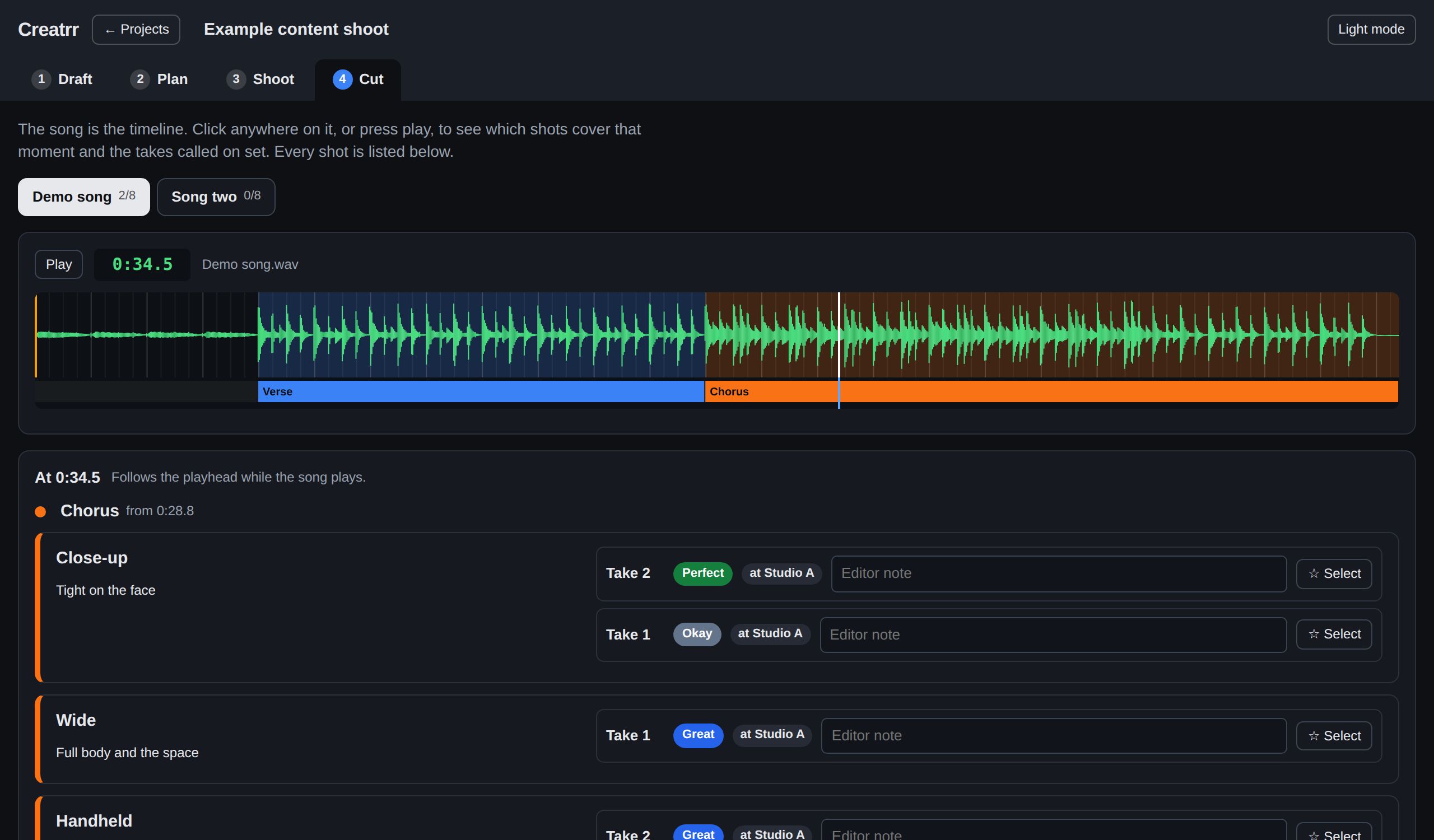
Your editor scrubs the song and sees every shot that covers that moment, with the best takes first and notes from set.

Count-ins that land on the downbeat.

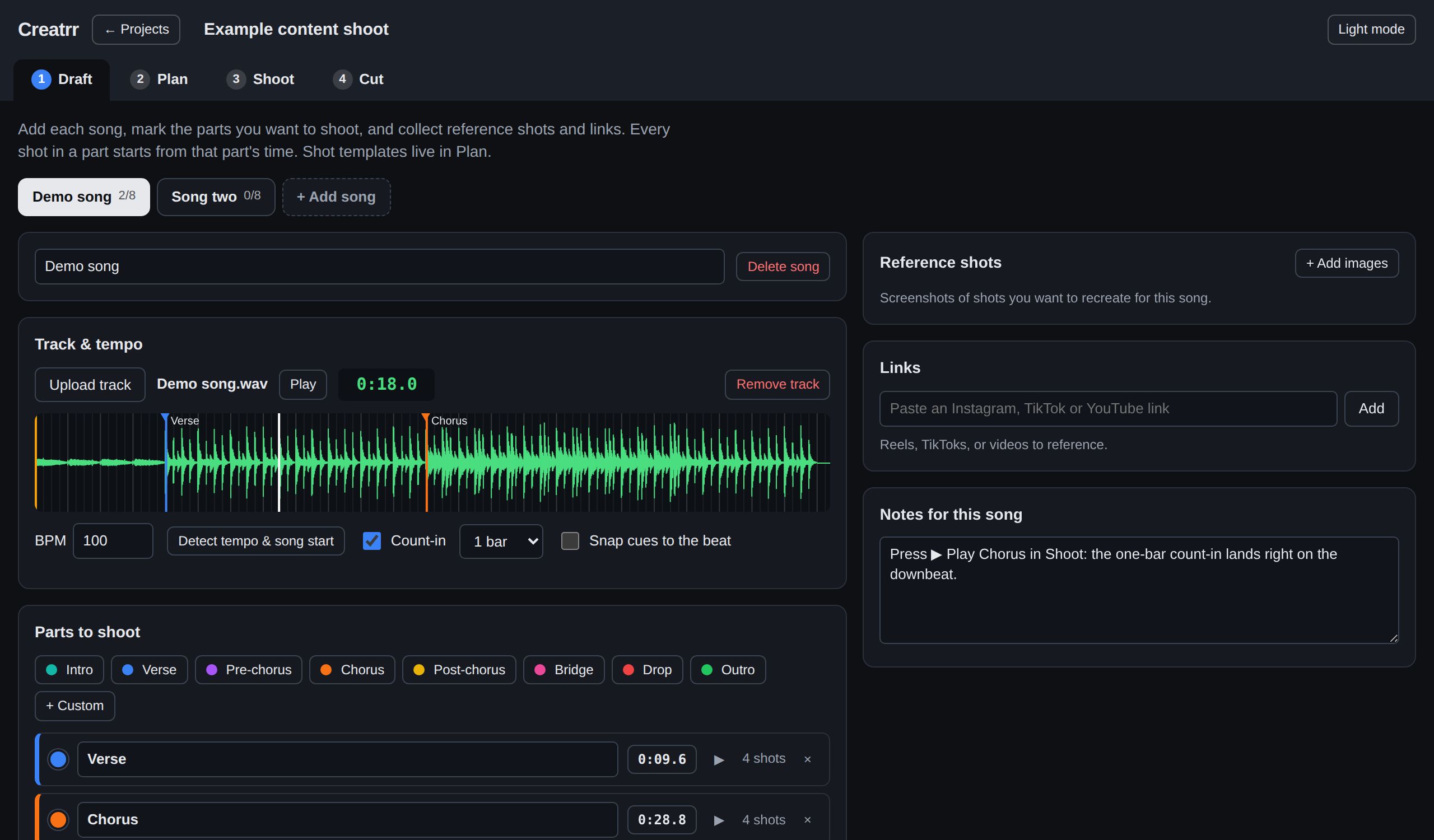
Creatrr detects the tempo and the first beat of every song, so cues start exactly on the grid. Talent hears one or two bars of click, then the song — no counting off, no fumbling for the spot.

  • Start cues on the mark, or a few bars early for lead time
  • Stop returns to where you started, every time
  • Unusual song? Set the BPM by hand in a second
Draft screen: waveform with a beat grid and colored markers for Verse and Chorus, tempo detected at 100 BPM

A formula, not a spreadsheet.

Content shoots repeat the same coverage on every part. Set that coverage once as templates, and Creatrr builds the whole shot list across every song for you.

  • Rename a template and it updates everywhere
  • Add one-off extras when something good happens
  • Plan locations and what gets shot where
Plan screen: shot templates for Close-up, Wide, Handheld and Slow-mo applied to every song part

Your editor sees what you saw.

Every take is rated Perfect, Great, Okay, Unusable or Blooper, and tagged with where it was shot. In Cut, the song is the timeline: click any moment to see the shots that cover it, best takes first.

  • Editor notes and a "selected take" star
  • Export the take log as a spreadsheet
  • Hide the unusable takes and bloopers in one click
Cut screen: song timeline with colored regions per part and the takes for the chorus sorted best first

Made for real shoot days.

Basements, rooftops, parking garages, no signal. Creatrr keeps working.

Works without signal

Songs download to your phone in the background. Takes logged offline upload by themselves when you're back in range.

Phone, laptop, anywhere

Everything lives in your account and syncs across devices. Add it to your home screen and it runs like an app.

Your masters, handled

WAV, MP3, M4A, AIFF. Big masters sync as a lighter copy that keeps timing sample-exact on every device.

Simple plans. Start free.

Every plan includes every Creatrr feature. Plans differ only in how many songs you keep. MP3 or WAV counts the same, and swapping a song's audio never uses a new slot.

Free

$0 forever
  • 1 song
  • Every feature
  • Swap the audio any time
Start free

Creatrr

$5 /month
  • 20 songs
  • Unlimited shoots
  • Swap demo MP3s for final WAVs free
Get started
Most popular

Creatrr Plus

$15 /month
  • 100 songs
  • Unlimited shoots
  • For regular content days
Get started

Producrr

$29 /month
  • 150+ songs
  • Everything in Creatrr Plus
  • Music video production tools: locations, schedules, call sheets, live on-set tracker (coming soon)
Get started

Start free with 1 song, no card needed. Upgrade, switch or cancel any time — your shoots stay safe on every plan.

Questions

Does it work without signal on set?

Yes. Your songs download to your phone in the background, so playback and count-ins work with no signal. Takes you log offline wait on the device and upload by themselves once you're back online.

Do I need to install anything?

No. Open creatrr.co/app in Safari or Chrome on your phone, then choose "Add to Home Screen" to launch it like an app. It works the same on a laptop.

What audio files can I use?

Anything your browser can play: WAV, MP3, M4A, AIFF and more. Large WAV masters sync as a lighter 16-bit copy so every device plays in perfect time; your original never gets altered.

Who can see my songs?

Only you. Songs and shoots are private to your account, protected on the server so no one else can reach them, and never used for anything else.

What's included for free?

Every feature, forever, for 1 song, and you can swap its audio as often as you like. When you want more songs, pick a plan. If a plan ends, nothing is deleted; you just can't add new songs until you're back within the free plan.

Can I cancel any time?

Yes, from your account in a couple of clicks. You keep your plan until the end of the period you've paid for.
Your next shoot, planned to the beat.

Start free, or play with the demo first.